How to Do the Korean AI Baseball Trend: Full Video Guide
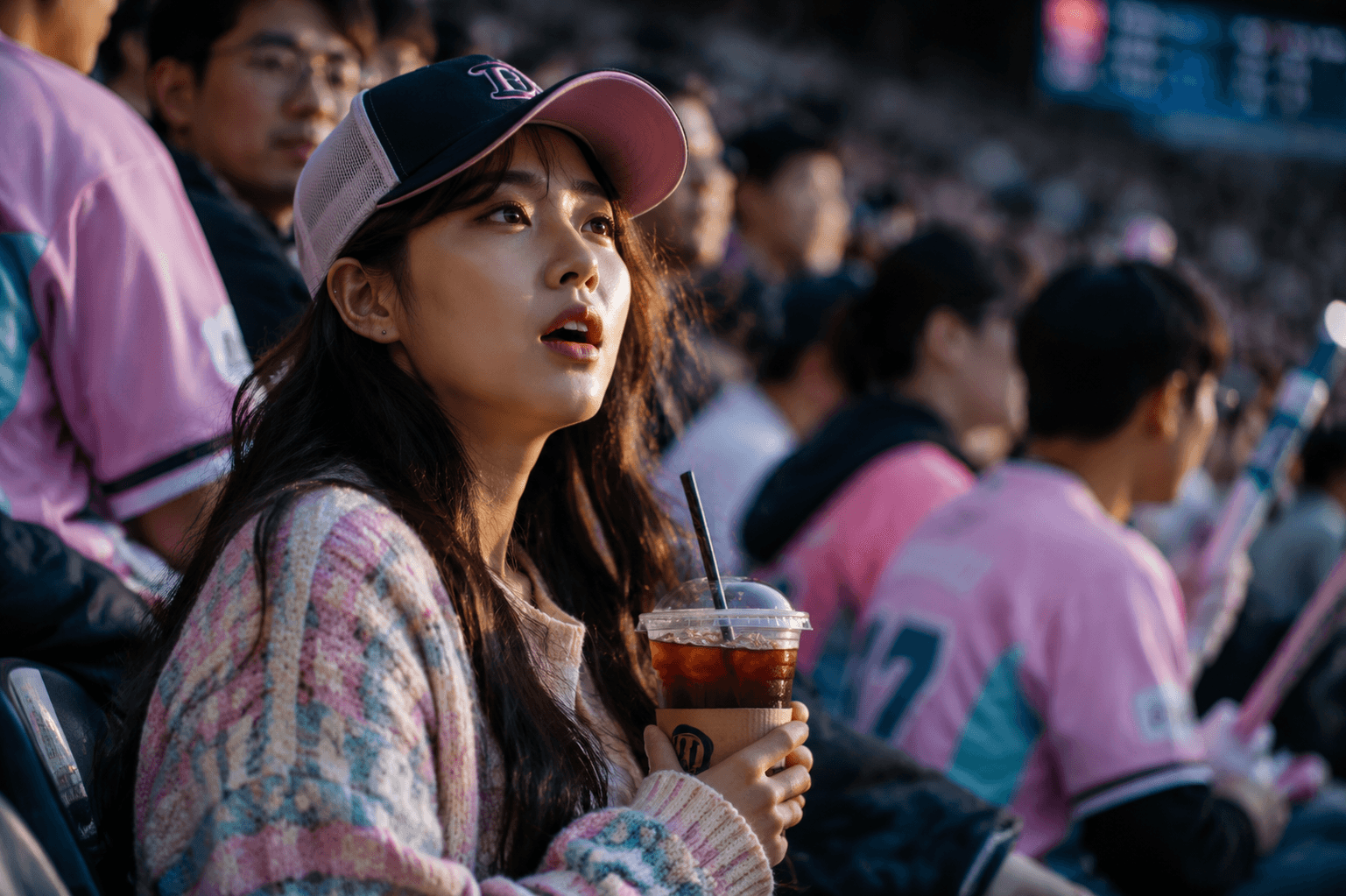
The Korean AI baseball trend turns a single selfie into a five-second clip that looks like a KBO TV camera caught you in the stadium crowd. The fastest believable workflow in May 2026: generate the still with GPT Image 2 in reasoning mode for locked facial identity, then animate it with Seedance 2 using multi-image reference and native crowd audio — no CapCut overdub needed.
What Is the Korean AI Baseball Trend?
The Korean AI baseball trend is a viral short-video format where a single selfie is transformed into a hyperreal five-second clip mimicking a live KBO (Korean Baseball Organization) broadcast. The visual reads exactly like a stadium TV camera on SPOTV or SBS Sports panning across the stands and accidentally landing on a candid fan. The format spread across TikTok, Instagram Reels, and YouTube Shorts through the spring of 2026, with multiple regional outlets — including Khaleej Times and El Imparcial — publishing how-to coverage in early May 2026.
Origin — the 5-second clip that hit 15 million views on X
The trend traces back to a five-second clip posted on X showing a young woman watching a Korean baseball game. The post racked up over 15 million views before viewers realized she was entirely AI-generated. The reveal — that a believable "fan in the crowd" shot could be fabricated from one image — turned the format into a participatory trend within days. By mid-May 2026, regional tech press in India, the Gulf, and Latin America had all published their own how-to walkthroughs.
What cues make a frame read as real KBO broadcast TV?
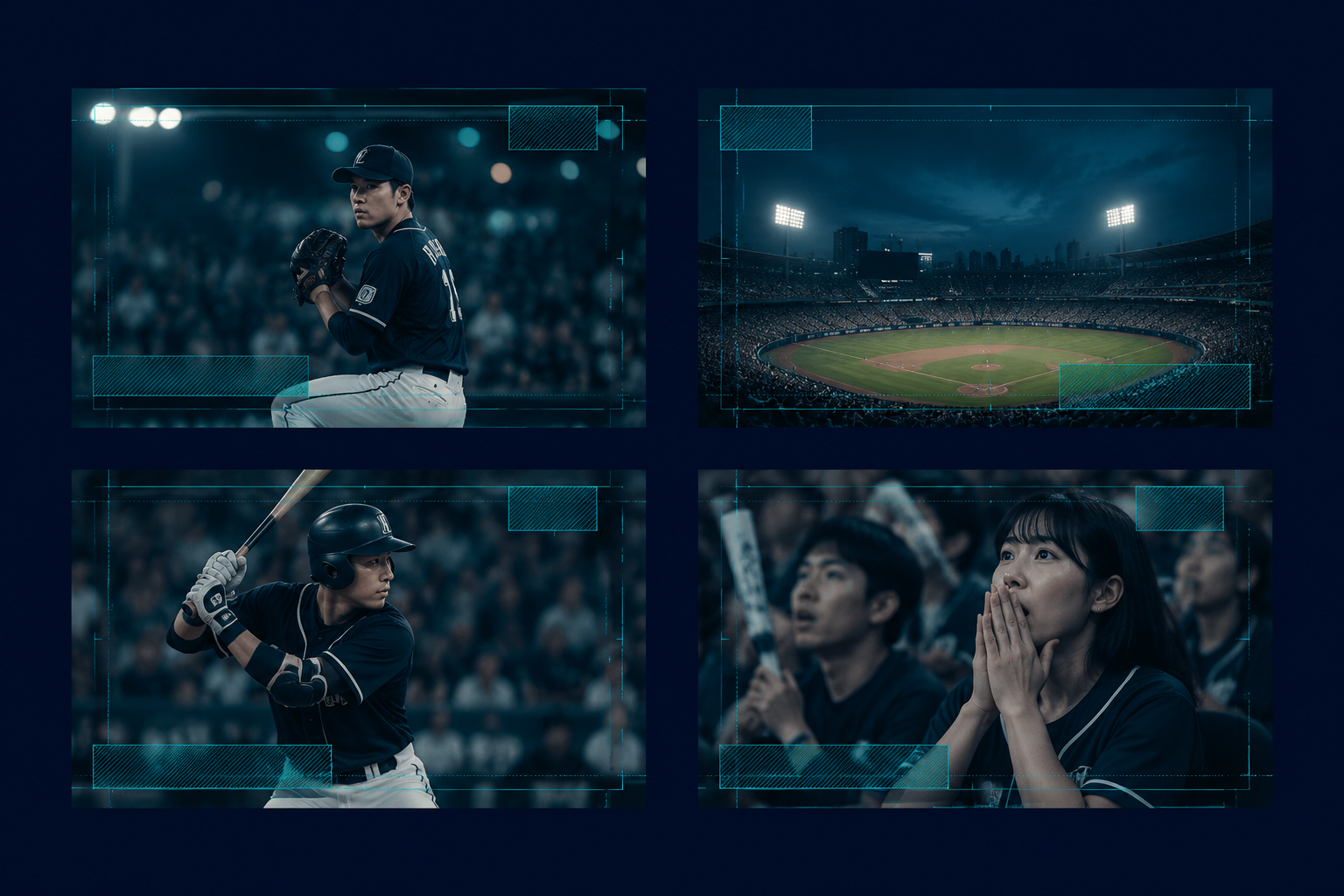
A frame reads as authentic KBO television when it carries the visual signature of how SPOTV and SBS Sports actually shoot the stands. The cues are specific and stack on each other:
- Telephoto compression. Long-lens framing flattens depth and creates the dense, layered crowd that broadcast cameras produce. Wide-angle "phone" framing kills the effect instantly.
- 16:9 aspect ratio. Korean baseball is shot in broadcast 16:9. Generating natively in 9:16 sacrifices the trademark feel — better to render 16:9 and crop later.
- Broadcast bokeh. Stadium lights and scoreboard graphics blur into soft circles behind the subject.
- Cool color grading. Real KBO transmissions sit in cool teal-and-indigo midtones with warm complexion preservation.
- Candid mid-action expression. Posed smiles read as fake. Blinks, slight surprise, drink-mid-sip moments read as real.
- Faint scoreboard graphic. A ghosted on-screen overlay in the upper corner cements the broadcast cue without needing to be readable.
The Two-Model Stack You'll Use
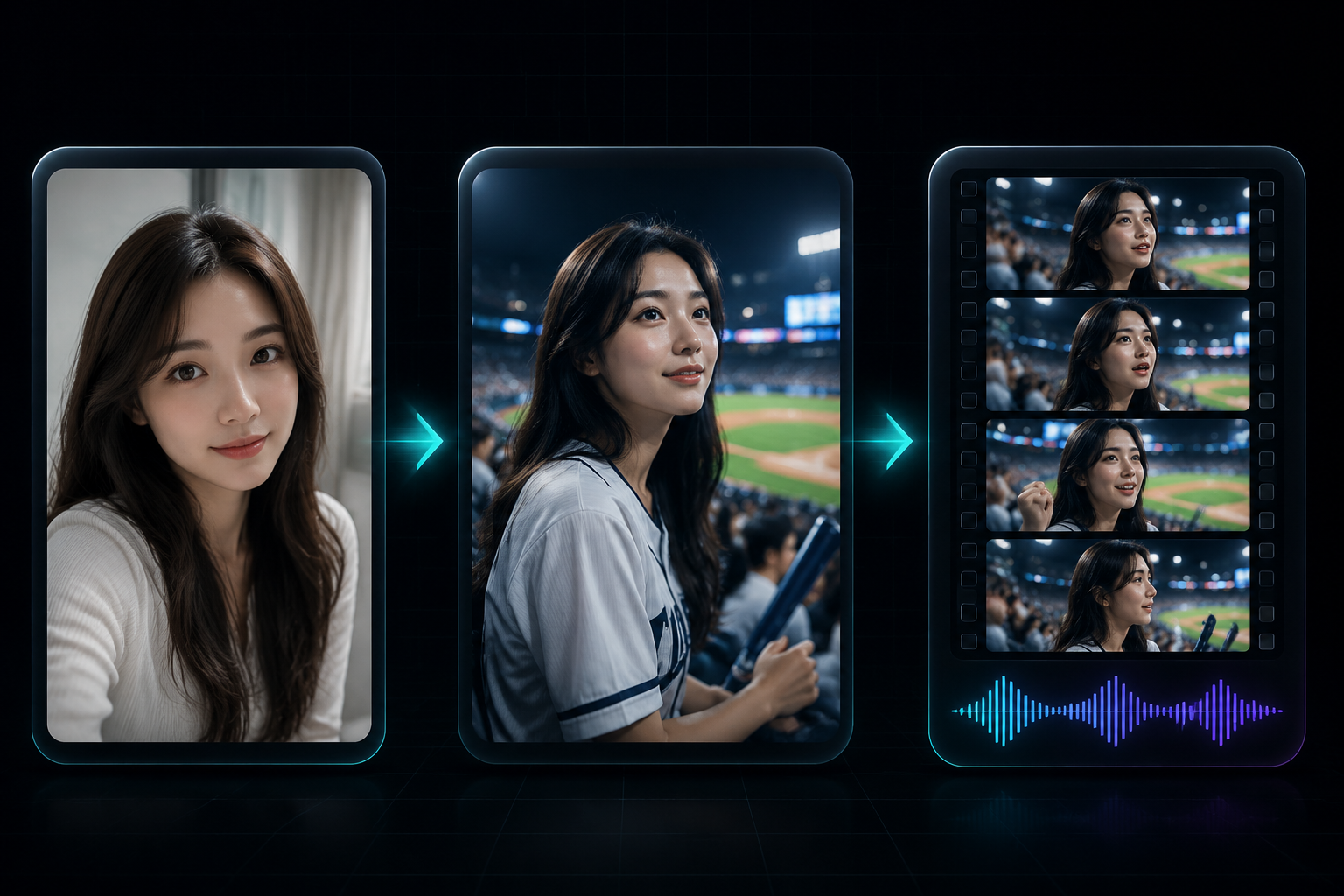
This guide uses two LoveGen AI models in sequence. GPT Image 2 generates the still frame and locks facial identity; Seedance 2 animates the still into video with synchronized stadium audio. Most competing guides — including the Cyberlink/MyEdit walkthrough and the Kapwing tutorial — pair an older image model with Kling 3 for animation. That stack has two unresolved problems: facial identity drifts when motion starts, and the crowd audio has to be overdubbed in a separate editor.
How the stacks compare
| Stack | Identity preservation | Native audio | Max duration | Notes |
|---|---|---|---|---|
| GPT Image 2 + Seedance 2 (this guide) | Reasoning mode + 4-image reference | Yes, single-pass | 15 s | Recommended; no manual overdub |
| ChatGPT/Gemini + Kling 3 | Single-image only | No, requires CapCut overdub | 10 s | Most common alternative |
| Kapwing pre-built template | Template-locked | Auto-generated only | 5–10 s | Easiest; less control |
| Dreamina (CapCut) one-click | Template-locked | None | Image only | Photo-only output, no video step |
Reasoning mode is the differentiator on the image side. OpenAI's launch post describes GPT Image 2 as the first mainstream image model that "thinks before it draws" — it plans the composition, web-searches when needed, and double-checks its own output, which is what makes facial identity hold across re-rolls.
Step 1 — Generate the KBO Broadcast Still with GPT Image 2
Open GPT Image 2 on LoveGen AI, attach a clear, well-lit reference photo of yourself (front-facing, neutral expression, no sunglasses), enable reasoning mode, and paste the prompt below. Re-roll two or three times and pick the still that best preserves your features — the one you'll feed into Step 2.
The image prompt (copy-paste)
Create an ultra-realistic, cinematic, candid KBO baseball broadcast screenshot of the subject in the attached reference photo. Capture the moment as if a live TV camera on SPOTV or SBS Sports panned across the stadium crowd and caught the subject mid-reaction.

Identity (highest priority):
- Preserve exact facial geometry from the reference: same face shape, eye spacing, nose, lips, jawline, skin tone, hairline
- Maintain natural skin texture with visible pores and natural asymmetry
- No skin smoothing, no beauty filter, no feature standardization

Subject framing:
- Medium-close shot, head and shoulders, subject in the center-left of the frame
- Caught mid-action: blinking, slight surprise, soft involuntary smile, or holding an iced americano partway to the lips
- Wearing a pastel knit cardigan or oversized hoodie and a team cap or visor
- Holding an iced drink in a clear plastic cup with condensation

Setting:
- KBO stadium seating bowl, golden hour light raking from the upper-right
- Lively Korean baseball crowd in the background, color-blocked pink, teal, and white team merchandise
- Slight motion blur on background fans (telephoto compression)

Technical:
- 16:9 broadcast frame, telephoto lens compression, shallow depth of field, f/2.8 feel
- Broadcast color grading: cool teal-and-indigo midtones with warm complexion preservation
- Subtle bokeh on stadium lights and a faint ghosted scoreboard graphic in the upper-right corner
- Photojournalism style, 35mm look, candid imperfection, broadcast quality
- No readable on-screen text, no watermarks, no English captions

Avoid: studio lighting, posed expression, perfect symmetry, smoothed skin, legible scoreboard text, posed smile
Why reasoning mode matters for facial identity
GPT Image 2 launched on April 21, 2026 as the first mainstream image model with native reasoning — it plans, searches the web when useful, and verifies its own output before rendering. For this trend, that capability does one thing that matters: it holds facial geometry across re-rolls. The model also reports roughly 99% character-level text accuracy across Latin, CJK, Hindi, and Bengali scripts and supports outputs up to 4K resolution, which means Korean text on jerseys and on the ghosted scoreboard graphic renders coherently instead of as the garbled fake-Korean glyphs that older models produce. Reasoning mode also honors negative prompts — "no skin smoothing", "no beauty filter" — more reliably than non-reasoning generation, which is the lever for sidestepping the beauty-bias problem flagged by Elle India's critique of the trend.
Prompt knobs that move the needle
Not every line in the prompt carries equal weight. These are the ones that actually change the output when you swap them:
| Knob | What to set | Why it matters |
|---|---|---|
| Telephoto compression | "telephoto lens compression, shallow depth of field" | The single biggest broadcast cue; wide-angle framing kills authenticity |
| Lighting direction | "golden hour light raking from the upper-right" | Side-rake light reads as natural stadium time-of-day; flat front light reads as studio |
| Drink in hand | "iced americano in a clear plastic cup with condensation" | Hand position breaks symmetric "posed" framing |
| Wardrobe | "pastel knit cardigan", "team cap or visor" | Specific texture and silhouette beats vague "casual" |
| Crop | "head and shoulders, center-left of frame" | Off-center subject matches how broadcast cameras find faces |
| Expression | "mid-action: blinking, slight surprise, soft involuntary smile" | Mid-action beats finished expression every time |
| Background fans | "color-blocked pink, teal, and white team merchandise" | Color blocks read as Korean fan culture; generic crowd reads as anywhere |
| Scoreboard overlay | "faint ghosted scoreboard graphic in the upper-right corner" | Visual broadcast lock; should NOT be readable |
Step 2 — Animate the Still to Video with Seedance 2
Open Seedance 2 on LoveGen AI, switch to image-to-video mode, upload the still from Step 1 as the primary reference, and add up to three more reference frames if you have them (a front-facing selfie, a three-quarter angle, an alternate expression). Paste the animation prompt below.
The animation prompt (copy-paste)
Animate the supplied KBO baseball broadcast still into a 5-second clip. Use the attached reference frames to lock the subject's facial identity across every video frame — no drift, no morphing.

Motion (subtle, broadcast-realistic):
- Subject blinks twice naturally within the clip
- Slight gaze shift toward the camera, then back to the field
- Small involuntary smile or eyebrow lift mid-clip
- One micro-movement of the drink-holding hand (no full sip)
- Background crowd: ambient micro-motion only — heads turning slowly, hands occasionally raising, no synchronized cheering

Camera (broadcast feel):
- Static shot with very slight handheld drift, no zoom, no pan
- Maintain the source still's telephoto compression and shallow depth of field
- Preserve the bokeh and the ghosted scoreboard graphic in the upper-right

Audio (native, single-pass, no overdub):
- Ambient KBO stadium background: distant crowd murmur, occasional clap, faint chant in Korean from the upper deck
- Soft synthesized broadcast organ riff barely audible underneath
- No commentary, no English announcer voice, no music bed
- Audio peaks fall on natural visual beats (subject blink, distant bat crack)

Output:
- 5 seconds, 16:9, 1080p or higher
- Single continuous shot, no cuts
- Match the source still's color grade exactly: cool teal-and-indigo midtones with warm complexion preservation
Using multi-image reference for identity preservation through motion
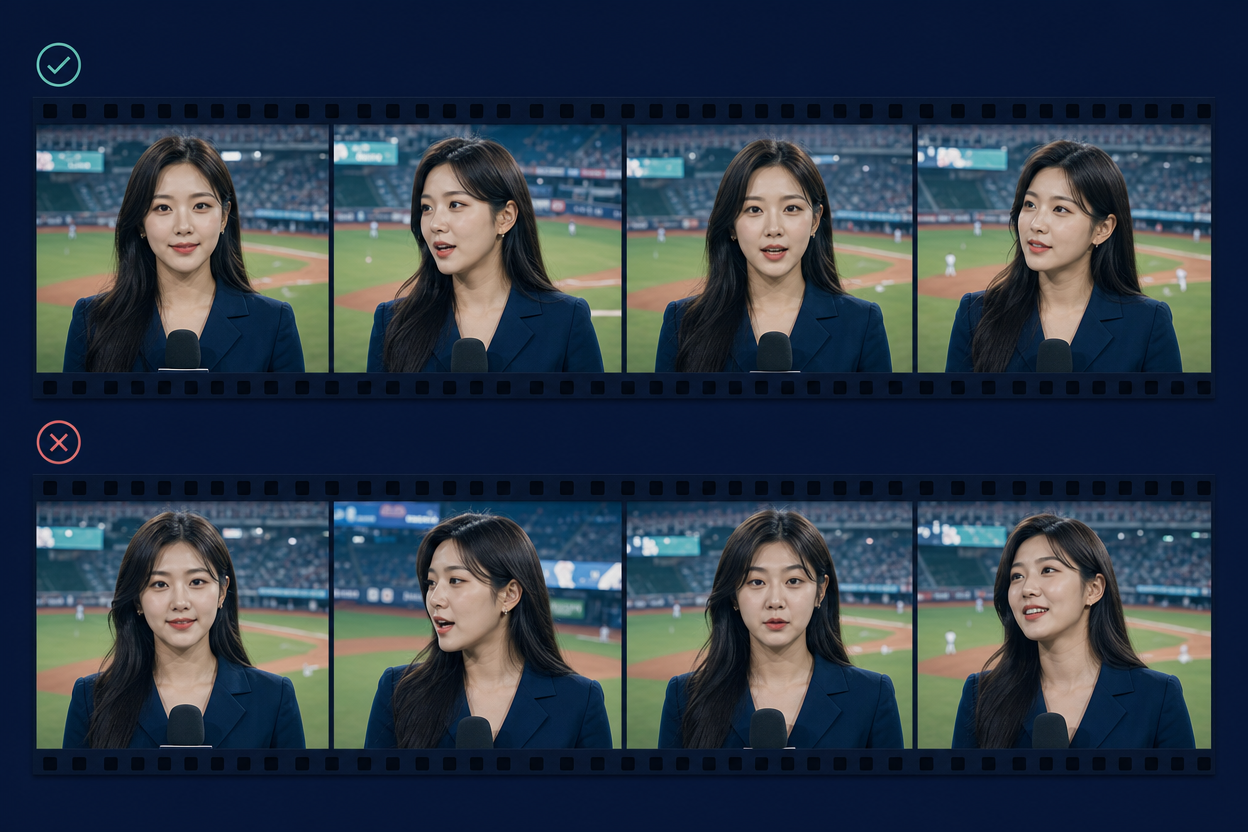
Seedance 2 supports up to four reference images to guide a single generation, which is the most reliable defense against identity drift across video frames. Feed it the GPT Image 2 still plus two or three different angles of your face (a front-facing selfie, a three-quarter, and an alternate expression). The model resolves the subject's geometry from the consensus across those frames rather than guessing from a single view, which is why the result holds identity from frame 0 through frame 150 instead of morphing at the midpoint — the failure mode that gives older image-to-video stacks away.
Native audio — getting the stadium cheer synced in one pass
Seedance 2 generates synchronized audio in the same pass as the video, which means crowd cheers, ambient murmur, and reaction sound effects line up with on-screen action automatically. Specify the audio cues in the prompt — "ambient stadium murmur, occasional clap, faint chant in Korean" — and the model will produce the audio track natively rather than as a silent video that needs a CapCut overdub. This is the single biggest workflow win over the older ChatGPT-plus-Kling-3 stack: the audio matches the visual beats because both were planned together, not because you manually nudged a sound effect onto a timeline. Keep the prompt audio descriptions short and concrete — Seedance 2 honors specific sound cues better than vague "stadium sounds" framing.
Step 3 — Export and Post for TikTok, Reels, and Shorts
The trend lives in vertical feeds, but the broadcast aesthetic depends on horizontal framing. The right move is to generate 16:9, then crop.
Aspect ratio, length, and resolution by platform
- TikTok: 9:16 vertical, 1080×1920, five to seven seconds. Crop the 16:9 source with the subject centered; let the bokeh fall off the left and right edges.
- Instagram Reels: 9:16, same dimensions, five to ten seconds. Reels rewards a hook in the first second — keep the subject's mid-action moment in the opening frame.
- YouTube Shorts: 9:16 up to 60 seconds, though five to eight seconds is optimal for this format. Shorts deprioritizes loops; let the clip end on a natural beat.
Resolution-wise, render the GPT Image 2 still at the highest setting available (the model supports up to 4K), then let Seedance 2 generate at 1080p. Downscaling to platform resolution preserves detail; upscaling introduces artifacts.
Captioning conventions that boost reach on the trend
Three caption patterns consistently perform on the trend:
- The reveal caption — pretend the clip is real, let the AI be the punchline in the comments. Example: "got caught on camera at the KBO game today 😭".
- The disclosure caption — declare AI up front, use the trend's branded hashtag. Example: "made this with the Korean baseball AI trend".
- The participation caption — invite viewers to try the same workflow on themselves.
Always use AI disclosure where required by the platform's rules and your local jurisdiction.
Common Failure Modes and Fixes
| Symptom | Likely cause | Fix |
|---|---|---|
| Face morphs between frames 1 and 5 | Single-image video reference | Add three more reference frames in Seedance 2; multi-image reference resolves drift |
| Skin looks plastic or airbrushed | Default beauty bias | Add "natural skin texture, visible pores, no skin smoothing, candid imperfection" to the image prompt |
| Korean scoreboard text looks like gibberish | Prompt asked for legible text | Change to "faint ghosted scoreboard graphic, no readable text" — broadcast overlays should not be sharp |
| Dead-eye stare into camera | Posed expression in the prompt | Replace with "mid-action: blinking, slight surprise, soft involuntary smile" |
| Audio doesn't match the action | Vague audio prompt | Specify concrete cues ("distant clap, faint chant in Korean") and tie them to visual beats in the prompt |
| Vertical crop chops the face | Generated at 9:16 natively | Generate 16:9, crop in editor with subject centered; preserves telephoto compression |
| Background fans look frozen | Prompt suppressed all motion | Allow "ambient micro-motion — heads turning slowly, hands occasionally raising" |
| Subject is wearing the wrong jersey | Prompt was over-specific on team | Drop named team references; specify only "team cap" and color palette |
Alternative Stacks if You Can't Use GPT Image 2 + Seedance 2
If GPT Image 2 or Seedance 2 isn't available on your plan, two fallbacks come closest to the same quality:
- Pair GPT Image 2 with Kling 3 — keeps the strong still but loses native audio. You'll need to overdub stadium ambience in CapCut or a similar editor. Identity drift in motion is slightly higher than Seedance 2 because Kling 3 doesn't take four reference frames the same way.
- Browse all current video models on the LoveGen AI video models hub — Sora 2, Veo 4, and Wan 2.2 all support image-to-video, though only Seedance 2 ships native audio. Pick based on availability and the cost-per-second your plan supports.
Avoid generic templated tools for serious posts on this trend. They lock in beauty-filter defaults, cap resolution, and give no control over the specific broadcast cues that separate a believable clip from an obvious one.
Is the Korean AI Baseball Trend Ethical and Legal?
The trend is widely participated in, but two things deserve thought before you post. First, Elle India's critique noted how the default beauty-filter behavior of templated tools imposes unrealistic standards — slimmer faces, smoother skin, standardized features. The prompt language in this guide ("natural skin texture, visible pores, no skin smoothing, candid imperfection") is the direct counter, and reasoning mode honors those constraints more consistently than non-reasoning generation.
Second, never generate someone else's likeness without their consent — the trend is a self-portrait medium, not a way to put a friend, an ex, or a public figure in fabricated footage. Disclose AI generation when posting (most platforms now require it, and search engines deprioritize undisclosed AI content). Treat the format as creative play with your own image, and the legal exposure stays minimal.
Frequently Asked Questions
Q: What is the Korean AI baseball trend? A: The Korean AI baseball trend is a viral format where users transform a single selfie into a five-second clip that looks like a live KBO (Korean Baseball Organization) TV camera caught them in the stadium crowd. The aesthetic mimics SPOTV or SBS Sports broadcasts — telephoto compression, broadcast bokeh, candid mid-reaction expressions. The format exploded on TikTok, Instagram Reels, and YouTube Shorts through spring 2026.
Q: How did the Korean AI baseball trend start? A: The trend traces to a five-second clip posted on X in early 2026 showing a young woman watching a Korean baseball game. The post racked up more than 15 million views before viewers realized she was entirely AI-generated. The reveal — that a hyperreal "fan in the crowd" shot could be fabricated from a single image — turned the format into a viral participatory trend within days.
Q: What is the best AI prompt for the Korean baseball broadcast look? A: The strongest prompt structure leads with "ultra-realistic, cinematic, candid, KBO baseball broadcast screenshot," names the subject, fixes facial identity ("preserve exact facial geometry, no beauty filter"), specifies wardrobe and a prop (usually an iced drink), and locks the framing ("16:9, telephoto compression, bokeh, broadcast color grading"). The full copy-paste prompt for GPT Image 2 is in Step 1 of this guide.
Q: How do I keep my face looking the same across multiple AI generations? A: Use GPT Image 2's reasoning mode for the still — it plans and double-checks facial geometry before drawing, holding identity across re-rolls more reliably than non-reasoning models. For the video step, feed Seedance 2 up to four reference images of your face from different angles. Identity drift is the trend's most common failure; multi-image reference is the single biggest fix.
Q: Can I add stadium crowd audio without overdubbing in CapCut? A: Yes — Seedance 2 generates synchronized audio in the same pass as the video, so the crowd cheer, the murmur, and any reaction sound effects line up with on-screen action automatically. Specify the audio cues in the prompt ("ambient stadium murmur, distant chant"). Older workflows that pair GPT Image 2 with Kling 3 require manual overdubbing in a separate editor.
Q: How long can a Korean AI baseball trend video be on Seedance 2? A: Seedance 2.0 generates videos up to 15 seconds in a single pass and can include multiple shots with natural cuts inside that window. For the trend, five seconds is the sweet spot — it matches the original viral clip's pacing and fits TikTok's most-replayed length. Longer outputs are useful for "broadcast cutaway" variations that show the camera panning back to the field.
Q: What aspect ratio should I use for TikTok or Instagram Reels? A: Generate at 16:9 (the broadcast-native ratio) for maximum realism, then crop to 9:16 in your editor with the subject centered. Generating directly at 9:16 sacrifices the broadcast feel because real KBO TV is shot 16:9. The 16:9-then-crop workflow keeps telephoto compression and bokeh intact while fitting vertical feeds.
Q: Why does my AI-generated face look smooth or unrealistic? A: The default beauty bias in many image models smooths skin and standardizes features — the exact behavior Elle India flagged as imposing "unreal beauty standards." Counter it by adding "natural skin texture, visible pores, no skin smoothing, candid imperfection, photojournalism style" to the GPT Image 2 prompt. Reasoning mode honors these negative constraints more consistently than non-reasoning generation.
Q: How much does it cost to make one Korean AI baseball trend video on LoveGen AI? A: A typical workflow is one GPT Image 2 generation (often with two or three re-rolls until the still locks) plus one Seedance 2 image-to-video pass. Exact pricing depends on your LoveGen AI plan tier; check the pricing page for current per-generation rates. Budget two to four image attempts plus one video render for a polished final result.
Q: Is it ethical to post AI-generated KBO fan videos? A: The trend is widely participated in, but two concerns deserve attention. First, the default beauty-filter behavior of templated tools pushes unrealistic standards — counter that with the texture and imperfection prompt cues in this guide. Second, never generate someone else's likeness without consent, and disclose AI generation when posting. Treat the format as a self-portrait medium, not a way to fabricate others.
Q: Can I use the trend with sports other than KBO baseball? A: The visual recipe transfers to any sport with a recognizable broadcast look — J.League soccer in Japan, NPB baseball, K League football, NBA basketball. Swap "KBO baseball" for the target league, name the actual broadcaster (NHK, ESPN, TNT), and adjust the wardrobe and crowd color palette to match real fan culture. The underlying two-model workflow — GPT Image 2 for the still, Seedance 2 for the motion and audio — stays the same.